
Setting up your receivers
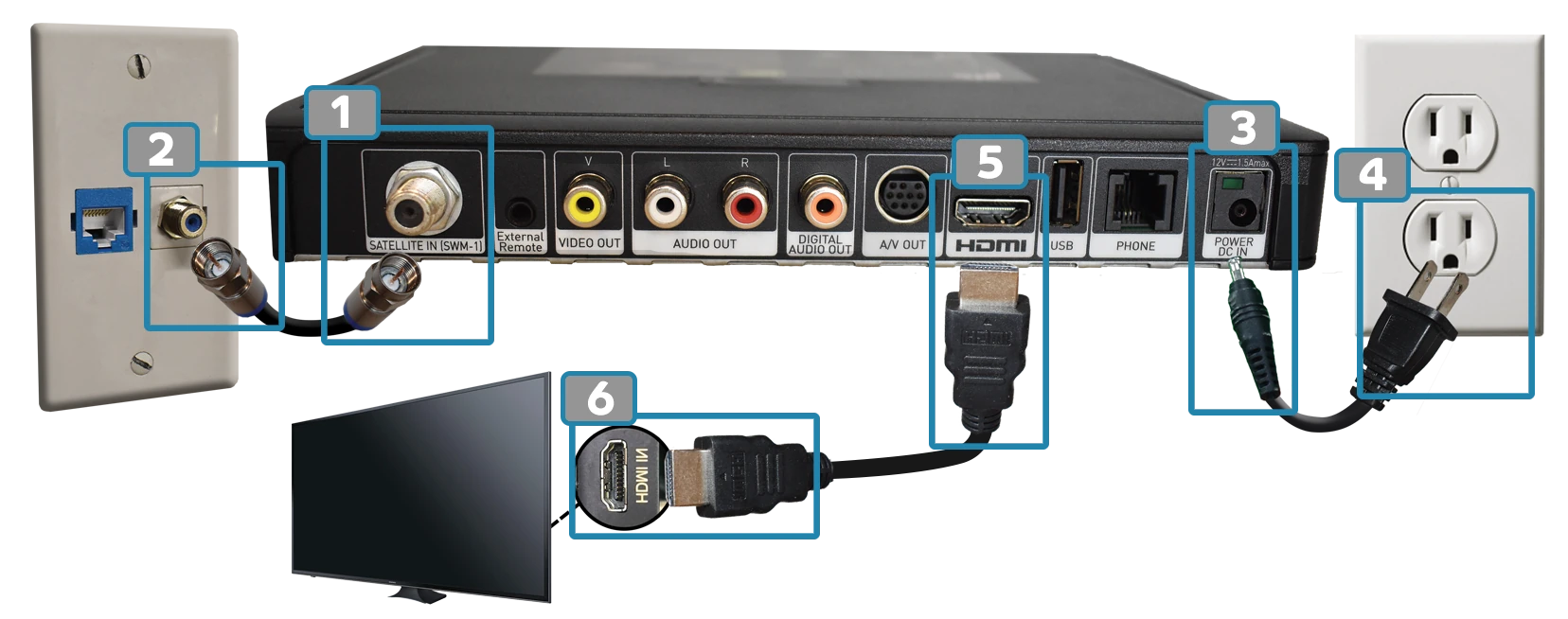
HD Receivers A: Using an HDMI Cable:
* You can setup your HD receiver in two ways: A: With an HDMI cable OR B: With an RCA cable (AV cable)- Gently screw one end of the coaxial cable into the "Satellite In" port on the back of your receiver.
- Gently screw the other end into the wall plate.
- Plug the receiver side of the power cord into the port labeled "Power DC in" on the back of your receiver.
- Plug the other end of the power cord into the wall outlet.
- Plug one end of the HDMI cord into the back of your receiver.
- Plug the other end of the HDMI cord into the back/side of your TV [both ports in steps 5 and 6 are labeled HDMI].
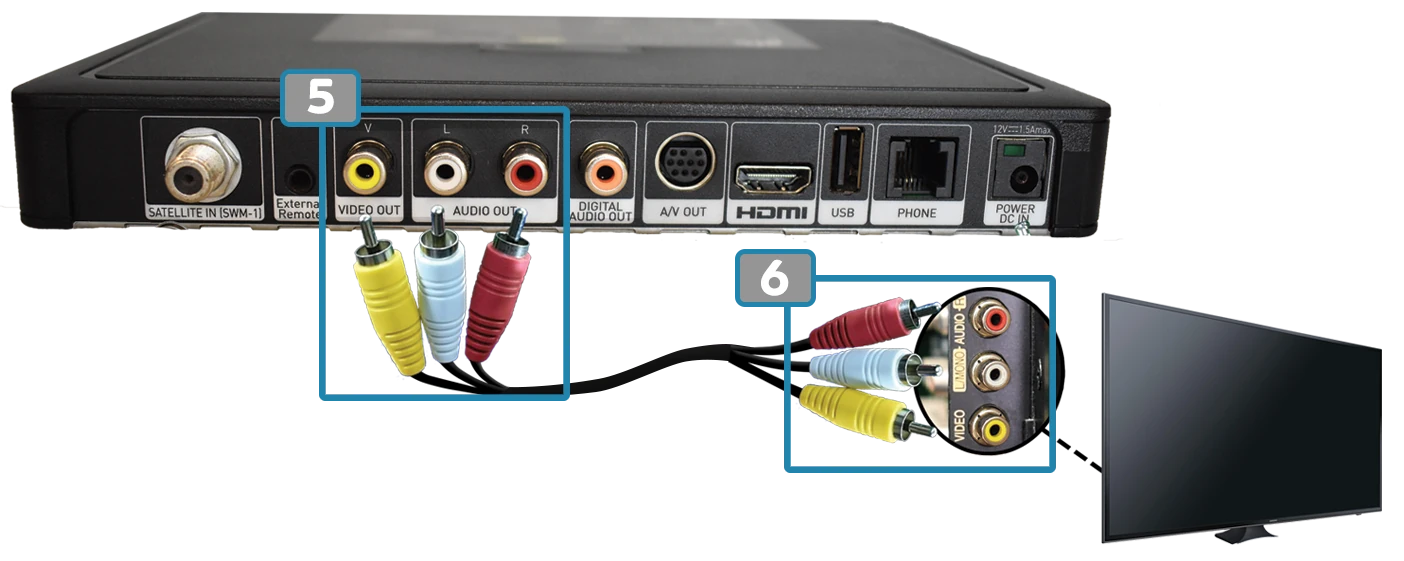
HD Receivers B: Using an RCA Cable (AV Cable):
* You can setup your HD receiver in two ways: A: With an HDMI cable OR B: With an RCA cable (AV cable)- Plug in the yellow, white, and red RCA cables into the corresponding colors on the back of your receiver.
- Plug the other end of the RCA cable into the corresponding colors on the back/side of your TV.
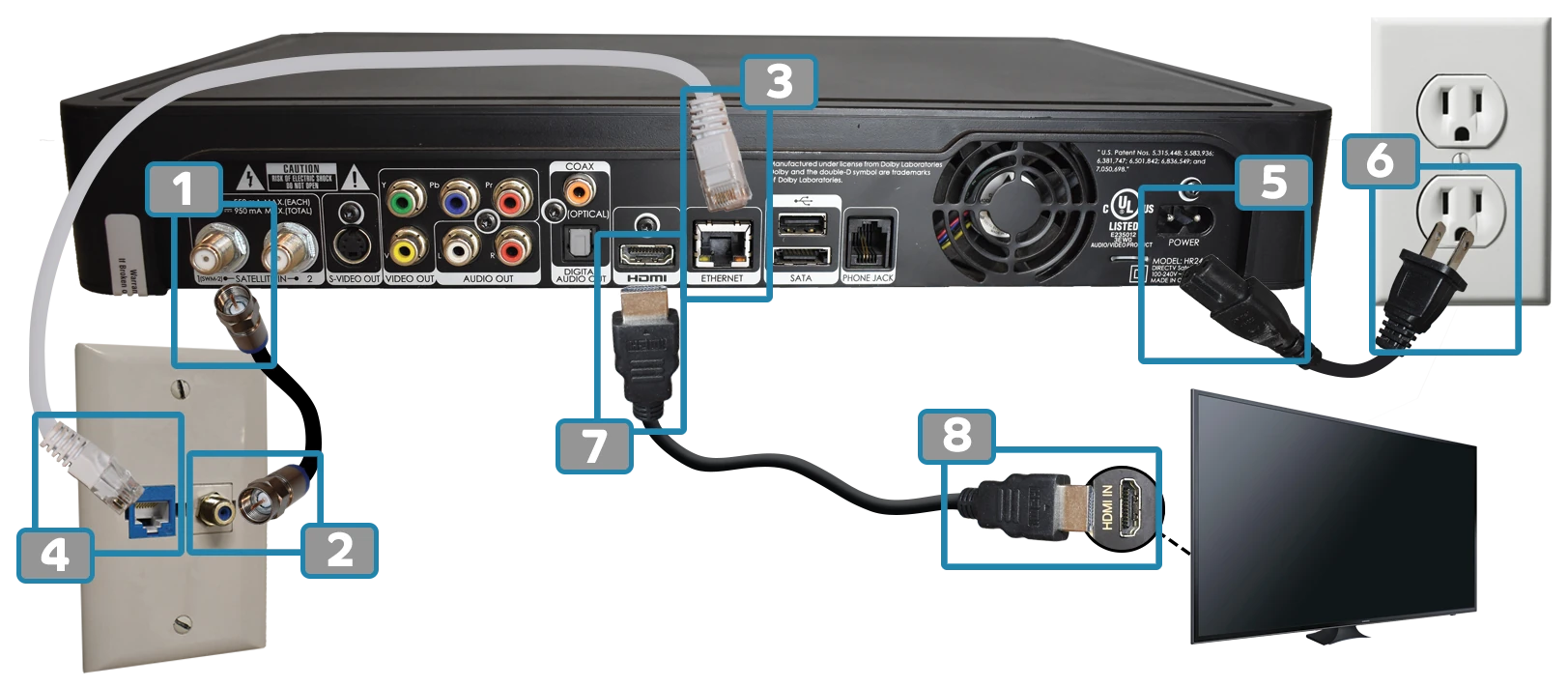
Setting Up Your HD-DVR Receiver: A: Using an HDMI Cable:
* You can setup your HD-DVR receiver in three ways: A: With an HDMI cable, B: With an RGB cable and audio cable, OR C: With an RCA cable (AV cable)- Connect the coaxial cable to the "Satellite In" port (use the port labeled "1 (SWM-2)").
- Connect the coax to the wall plate.
- Plug one end of the ethernet cable into the port labeled "Ethernet" on the back of your receiver, and the other end into the wall internet port.
- Follow the HD Receiver HDMI steps above to finish connecting to your TV and power.
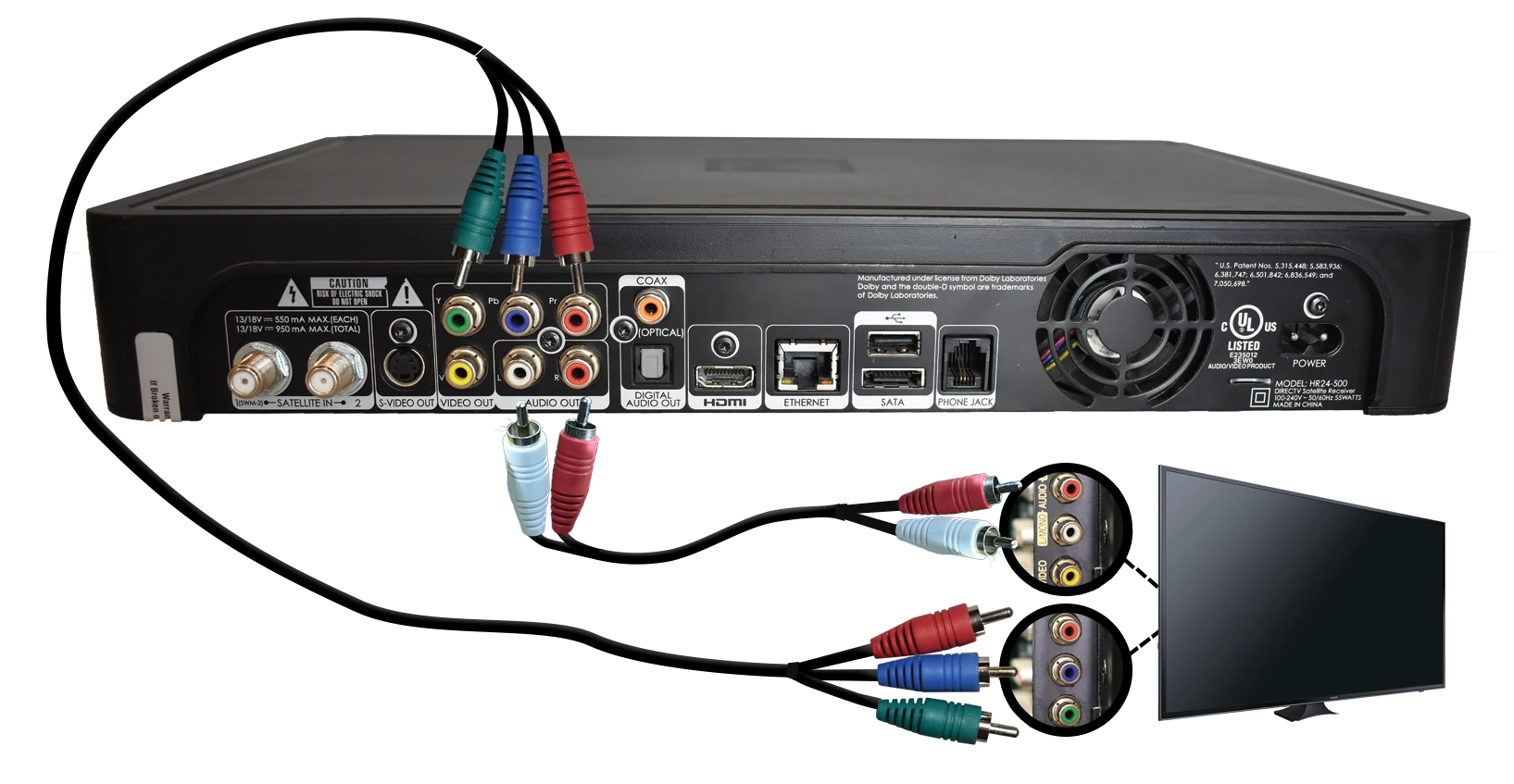
B: Using an RGB Cable and Audio Cable:
* You can setup your HD-DVR receiver in three ways: A: With an HDMI cable, B: With an RGB cable and audio cable, OR C: With an RCA cable (AV cable)- Complete the coax, ethernet, and power steps above.
- Connect the RGB cables (green, blue, red) for video into the matching colors on the back of your receiver.
- Connect the white and red RCA cables for audio into the matching colors on the back of your receiver.
- Connect the other ends of the RGB and audio cables into the matching colors on the back/side of your TV.
C: Using an RCA Cable (AV Cable):
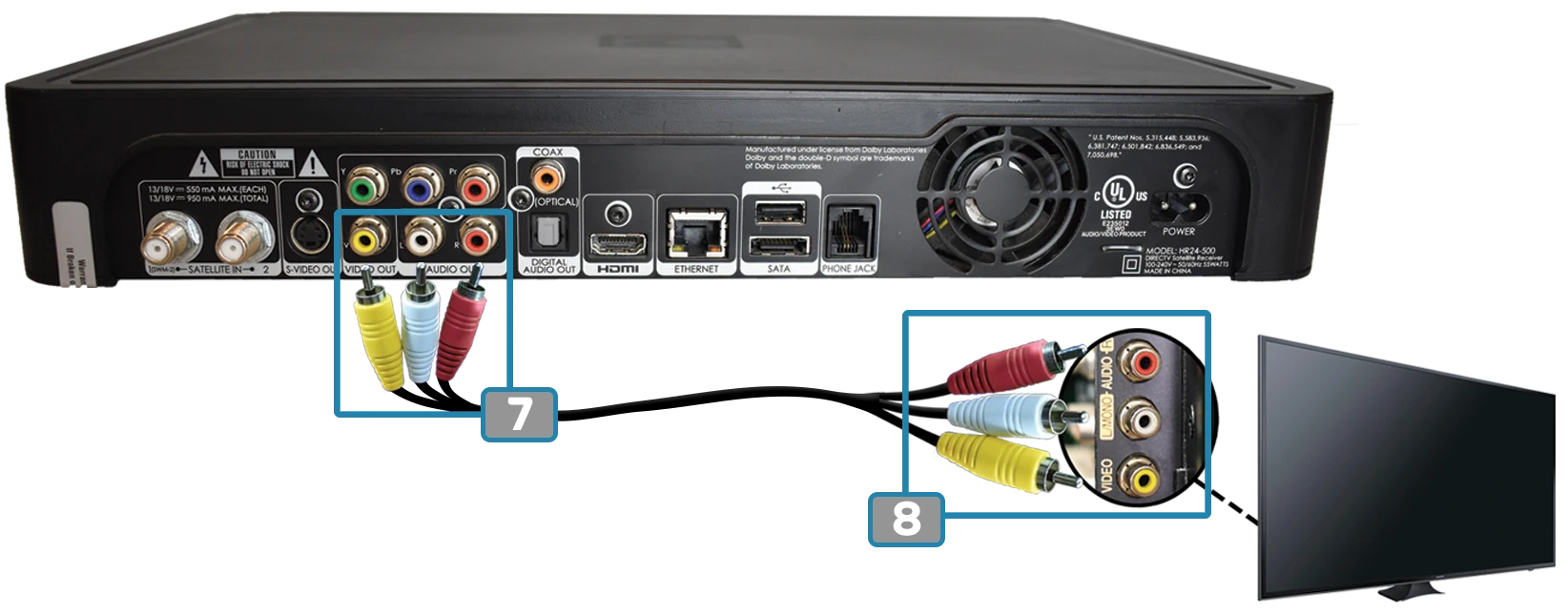
* You can setup your HD-DVR receiver in three ways: A: With an HDMI cable, B: With an RGB cable and audio cable, OR C: With an RCA cable (AV cable)- Plug in the yellow, white, and red RCA cables into the corresponding colors on the back of your receiver.
- Plug the other end of the RCA cable into the corresponding colors on the back/side of your TV.
Genie Receivers
STELLAR requires scheduling an installation appointment for Genie receivers.